Monday, September 13, 2010

Salesforce Updates - Sept 10, 2010

#Dreamforce


Count Down: @RatherGeeky reminded me that there are only 83 days until Dreamforce 2010. Have you registered and booked your reservations? This will be the biggest Dreamforce yet, with more than 20,000 attendees! Register here…

Community Conference: One of the things I love most about Salesforce.com is the overwhelming strong support I get from the user community. There are thousands of active community users who are writing Salesforce blogs, creating or promoting new feature enhancements on the IdeaExchange, participating in local user groups, asking and answering questions on the Answers forum, and collaborating on the community forums. This year, at Dreamforce 2010, we’ll have a chance to all meet each other. Dreamforce 2010 will have a community meet and greet! Read more…


#Administrators

150 (or rather, 32) Steps to Salesforce Greatness: AvideonCRM published an article titled “150 Steps to Salesforce Greatness”. The article actually only lists the first 32 steps (which is fair: the consulting company needs to keep some trade secrets!). Trying to figure out where to start with your new Salesforce.com setup? Check out this article! It has some great starting tips. Read more…

Mass Emails with Salesforce.com: What is the best way to do mass emails with Salesforce.com? Check out this article by @TFrankfurt; in the article, he talks about the current limitations of mass emails through Salesforce, and shares some popular AppExchange Email solutions to help break past these barriers – very helpful blog! Read more…
 200+ Free Salesforce Apps from Force.com Labs: Force.com Labs has been crazy busy the past few months, churning out new apps on the AppExchange – all free. The best thing about these apps (aside from being free) is that they are open source. Sometimes I’ll take these apps and use them just as ideas for other apps that my org needs; sometimes the apps give me ideas for optimizing code that for other apps that already exist within our org. Either way, if you’re not familiar with these apps, you should probably spend some time to get acquainted with them. Check them out here…


#Developer


Force.com Developer Meetup in Chicago: Salesforce.com is hosting a Developer Meetup at the Summit Executive Center in Chicago, IL this Wednesday (9/15) from 6:00 PM – 9:30 PM. There are two tracks planned: Intro to Force.com Workshop and a session on developing Chatter Apps. Quinton Wall and Reid Carlberg will be guest speakers at the event. If you are local to the Chicago area, and have wanted to learn more about developing applications on the Force.com platform, this meet-up will be a great intro! Read more…

Learning How to Code: “I want to learn Apex and Visualforce and all that other stuff, but I don’t know where to begin.” Apex is a structured programming language, very similar to Java. Visualforce is a structured mark-up language, very similar to HTML. If you don’t already know the basics of these topics, jumping in to Apex / Visualforce programming can be a challenge. Google can help! Check out these tutorials on learning HTML, CSS and Javascript from Google. (Thanks, @CRMFYI for the link!) Read more…

Use Visualforce to Add Inline Google Maps to Account / Contact Page Layouts: This is an oldie, but a goodie (that I rediscovered this past weekend). @phollo wrote a blog showing how to add Inline Google Maps to your Salesforce.com page layouts. It’s a great article, complete with sample code. Read more…


Cloud Computing for Java Developers Webinar (VMforce): Jeff Douglas wrote a great review of the recent Force.com webinar, “Cloud Computing for Java Developers”. I’m really looking forward to the REST API that will be piloted in the upcoming Winter’11 release! Read more…


Sunday, September 12, 2010

How Do You Follow?

One of the folks I follow on Twitter was worried about "false Twitter followers" -- those nefarious persons who follow you, get a follow back, and then unfollow you.  It lead to Twitter conversation on the left pane.

On Twitter, I tend to follow and unfollow people quite a bit.  For me, Twitter is like a giant "internet users conference".  I wander around the conference floor, evesdropping on various conversations taking place. 

When someone comments (or rather, tweets) on a topic I am particularly interested in, I'll click on their Twitter stream and check out their other recent tweets.  If they are noteworthy or interesting, I'll follow that person. 

Over time, the topics I am interested in may change and I may suddenly "unfollow" individuals who are tweeting on topics that no longer interest me.  The act of "unfollowing" is not meant to be a slight or insult. 

The "unfollow" is not necessarily permenant -- I'm just wandering over to a different section of the "internet user conference" floor to listen to other conversations.

I use Twitter as a tool for sourcing new information.  The individuals I follow provide that information, in the form of quotes, updates, or links to interesting blogs or news articles, or even just entertaining comments throughout the day. They are sharing relevant content that interests me.

And if they unfollow me (or never follow me)?  No big!  I get value from the content they share, not from their act of following me back.

How do you follow and unfollow on Twitter?

Sunday, August 29, 2010

Who Is More Excited About Upcoming Winter'11 Releases, Salesforce.com Users or Microsoft Users?

Jeffrey Schwartz (Redmond Channel Partner, Editor-at-Large Redmond Magazine) wrote a recent article for Redmond Channel Partner Online, titled Dynamics CRM Facelift Brings Confidence to the Channel. I read the article, hoping to get some insight about the upcoming "Salesforce.com Challenger", but I think I'd be discouraged if I were a Microsoft partner. The whole article seemed to be an endorsement for Salesforce.com.

Here were some of my favorite quotes:

""I just went on a call for CRM and the VP of sales just keeps pushing Salesforce, Salesforce, Salesforce and he'll find a flaw in anything else no matter what you implement," says Jeffrey Goldstein, managing director of New York-based Queue Associates Inc., a Gold Certified Partner.
Forrester Research Inc. analyst William Band says while Microsoft Dynamics CRM has gained appeal, outpacing Salesforce.com could be a high bar to clear.
"In order for Microsoft [Dynamics] CRM to become a billion-dollar business, the market has to grow more or somebody else has to lose a lot of market share," Band says. "I don't know that there's that much space in the marketplace for Microsoft CRM to get that big. I don't know where another billion would come from."
A further source of frustration for Goldstein is the $49 per month price tag for Microsoft Dynamics CRM Online, which he says is far less expensive than Salesforce.com, yet customers aren't swayed by that. Price and feature comparisons are not the issue, Goldstein says. "The problem we run into is so many VPs of sales and ex-sales people just have a history with Salesforce. They just ask for it by name and they just refuse to use anything else," he says.

So what's in this upcoming release for Microsoft CRM 2011?  According to the article, here are the key features:

"Outlook Integration: Users can manage their CRM interactions from within Outlook. CRM data can be treated like any other Outlook data.

Ribbon: The Office Ribbon added to the new Outlook also will be added to the new Dynamics CRM client.

Role-Tailored Design: Users access relevant forms based on their role in the organization and are restricted from accessing data they're unauthorized to view.

Inline Data Visualizations: Users can create charts, drill down into them and share them.

Real-Time Dashboards: Customers can provide real-time dashboards to assess business performance.

Solutions Management: Developers and IT managers can package up all customizations and install them into the system and they can stay protected from others inadvertently overwriting them.

Field-Level Security and Record-Level Auditing: Important to any organization where privacy and/or compliance are required."

This isn't exactly material that will steel market share from Salesforce.com.  These features have been standard with Salesforce.com for more than 5+ years.  By comparisson, in it's upcoming Winter'11 release, Salesforce.com is deploying:

Chatter: Probably the most talked about Salesforce.com feature in the past few months, Chatter asks the question, "What are you working on?" It brings social media into the CRM tool, giving Salesforce.com a Twitter or Facebook like facelift. It seems to be making a real difference in user adoption among the companies that are deploying it in production.

Outlook 2010 Integration: This release will have a number of key (and much needed) improvements related to Outlook 2010 integration, including: email added indicators, improved Outlook administrator settings, increasing # of characters supported in the Subject field, 64-bit OS Support, simpler synch features and scheduled sync functionality.

Reports, Dashboard Improvements: Salesforce already has very powerful reporting and analytic features built in. In the Winter'11 release, there are a number of improvements targeted toward this Salesforce.com feature: drag & drop report columns, drag & drop dashboard features, improved report sorting functions, ability to run Dashboard reports as "current user", ability to change the running user in real-time, improved chatter integration, and more.

Improved Search functions: ability to search Content (document libraries), improvements to the advanced search features.

Improvements to the Change Sets deployment features

Improvements to Sites (web site hosting inside Salesforce.com), including support for 30x redirection

These are just a few of the features that Salesforce.com is rolling out at the request of Salesforce.com Customers (via their IdeaExchange forums). On top of all this, we're going to see some nice new functionality related to VMforce, Chatter, calender scheduling, consoles, and more.

Salesforce.com weighs in with a heavier price tag, but it remains easier to implement, easier to customize, and contains more functionality "out of the box" than it's Redmond competitor.  Salesforce.com remains my preferred CRM in the competitive marketplace.

Tuesday, August 17, 2010

Salesforce CRM Talent in High Demand

The unemployment scenario may be grim, but Salesforce.com CRM Talent is in high demand. 

Erik Palumbo is a corporate recruiter at ModelMetrics, Inc.  They're looking for a Salesforce.com Technical Architect, and finding it to be a real challenge. He has posted to multiple LinkedIn user groups, tapped his traditional network for talent acquisition, and says he's finding "little interest".

I wouldn't categorize it as "little interest", but rather "supply and demand". Salesforce.com is hot right now.  Admins, Developers, Technical Architects, Contractors, and Consultants are in short supply. David Taber commented similarly in his recent CIO article, "The CRM Talent Shortage: Here, Now".

I have also heard this repeated in the local Salesforce.com User Group meetings I facilitate and other CloudForce user conferences I attend.  At Comcast, I've been helping our HR department find additional Salesforce.com talent, and it's been challenging for us, too.  The number of personal calls and emails I've received from recruiters is up sharply in the past two months, averaging 3-5 per week.  It's really surprising!

I gave Erik many of the same recommendations I gave my corporate HR department:

1.) For LinkedIn job postings, I recommend the Salesforce.com Professional LinkedIn Network.  It is one of the oldest LinkedIn Groups, and is managed by Salesforce.com employees (Jeanine Thorpe, Erica Kuhl, Tom Wong, and Jamie Grenney).  It's the forum were Salesforce.com posts their own job opportunities, as well.

2.) The Salesforce Community discussion boards have a Job Board for Admins and Job Board for Developers.  You may find a pool of candidates there, who don't frequent or participate in LinkedIn groups.

3.) On one of Erik's job descriptions, I read that he didn't want to be contacted by 3rd party / recruiters. In Erik's case, that makes sense: he IS the corporate recruiter for his company.  For most other companies, I would encourage they use recruiters.  Don't be fooled by this crazy job market.  Even though unemployment is high, skilled Salesforce.com CRM talent is in great demand.  You may need to work harder at luring those candidates toward your company.  A technical recruiter may be your best bet for filling an internal Salesforce.com Ninja position quickly: you need a hunter to help you find the right talent.

4.) Consider spending your budget dollars to TRAIN the right candidate, rather than RECRUIT the right candidate.  Don't wait for Salesforce.com talent to fall from the Clouds!  You may find it easier to find someone that has some of your core requirements, and put them through a rigorous Salesforce.com Boot Camp program.  Find a talented business analyst / java developer / project manager, and introduce them to Salesforce.com.  Put that firehose right down their throat and have them drink deep.  For the near term, this may be the best chance for getting your internal Salesforce.com job postings filled quickly.

A final note to employers who already have Salesforce.com talent: hold on to them.  I don't see this CRM talent shortage ending soon.

Good luck!

Wednesday, August 4, 2010

Salesforce Blogs, Books, Ideas, Videos and Developer Goodies

Blogs


After writing my The Most Influential Salesforce.com Tech Bloggers article, I’ve received links to some other great-looking Salesforce.com Blogs.  Check 'em out:
You can follow these five bloggers, and all the other SFDC Tech Bloggers on Twitter with one click. Click the “Follow this list” button here.

Books

Jeff Douglas and Wes Nolte have teamed up to write "The Salesforce Handbook: A Newcomer’s Guide to Building Applications on Salesforce.com and the Force.com Platform".  They published a teaser excerpt on their blog: The Salesforce Handbook.  The book is not due out until October (plenty of time to get your signed copy at Dreamforce 2010!). Visit their blog to join the email subscription list.


Salesforce IdeaExchange: Ideas I Liked / Promoted

Allow Single Test Method Execution from an Apex Class (120): Give Developers / QA Testers the ability to select the specific test methods that should be tested in an Apex test class. Handy for when you are trying to debug a single method! Vote it up here.

Cool Videos

I really liked this Flash App Demo  by James Ward.  The demo shows the power of the new Flash Builder tool, and integrating it with Salesforce.com.  In the demo, James shows an app that allows him to take a picture of a person, associate it with a contact record in Salesforce, which then automatically uploads that picture into a custom image field on the Salesforce contact object.  Very cool, check it out at the The Salesforce Channel.


Developer Stuff

In the Salesforce blogosphere, there is lots of interesting stuff happening on the developer front.

Managed Package Woes:  Abhinav Gupta of Tech Germ describes a common problem that developers first encounter when migrating their Force.com web-service apps from a developer org to a managed package.  During this migration, and external Java, Flex, PHP or .NET client code that made web-service calls to the Salesforce WSDL Web Services break, because the custom sObjects and fields get unique prefixes during the packaging.  He presents two solutions, read more ...

Java Namespace Exception Errors: Abhinav follows that great article with a 2nd one, describing the cause, effect and solution for when Java namespace exception errors are thrown, when using WSC and Apache Axis WSDL2 Java together in a JVM or project.  To avoid this problem, Abhina suggests compiling the WSDLs using WSC.  Read more ...
Force.com Explorer (Beta): Salesforce Developers and Admins have a new tool for their arsenal: Force.com Explorer (Beta).  This is an AIR app, built with Adobe Flash Builder for Force.com, which allows you to “browse your database schema, custom objects, and fields, and build test SOSL queries. It can also generate a simple schema report.”  Read more at Developer Force.

VisualForce Pages that Talk to You? Aslam Bari thought of a great new trick: enable your VisualForce Pages to Speak!  He found two useful web service / plugins on the net: jTalk is a an API that converts text to speech on the fly, and DewPlayer is flash MP3 player. Combined, you can integrate these into your VisualForce pages and convert output data to speech. Read more at Technology Share. One of the barriers for new developers posting apps to the AppExchange has been the cost of getting those applications reviewed and approved by Salesforce.com. That barrier has become less impacting, with lower security review fees. Read more at Developer Force.

Posting AppExchange Apps Just Got Cheaper: One of the barriers for new developers posting apps to the AppExchange has been the cost of getting those applications reviewed and approved by Salesforce.com. That barrier has become less impacting with lower security review fees. Read more at Developer Force.

Tuesday, August 3, 2010

Marc ... is that you?

I used to have a little counter on the side of my blog, which tracked the number of unique vistors on my site.  I'm sure you've seen these gadgets before -- almost every newbie website designer puts them on their first website, and every professional web developer cringes at the sight of them.

I replaced the visitor counter with a widget from Clustr Maps (I suspect this gadget makes professional web developers cringe, too). Clustr Maps gives both a visitor counter, and it also tags the location of visitors on a world map..  Every now and then I'll go take a peek at the world map, looking for answers: who are you? Where do you come from? What brought you here?  Most importantly, how can I help?

Tonight, I discovered a new red blip in Hawaii.  Hey, that's where Marc Benioff lives!


Several years ago, after my first Dreamforce event, I sent a personal note to the Salesforce.com CEO.  I told him that I was blown away, that Dreamforce had changed my whole aura. Within an hour, Marc replied simply, "Mahalo."  It's Hawaiin, I had to look it up.

I wasn't exagerating in that note.  Dreamforce had changed something inside me.  When I returned home, I started doing more volunteer and local community service work.  I started approaching problems with a very different mindset.  I started sharing more.  I started blogging.  My career path changed.  Everything changed.

Dreamforce is now 4 months away.  If you are a Salesforce.com Administrator or Developer, Dreamforce is the most valuable event you can attend.  There is so much energy, learning opportunities, and networking opportunities at this annual conference.  It gets bigger, better and more festive each year.  Friendships that you make at Dreamforce will last long afterwards, and you will be able to tap them all year long.  I was "between jobs", and missed last year's Dreamforce event ... I can't wait to go back this year!

Will you be there?  Let's connect!

Register here: http://www.dreamforce.com/.  Register today!

Monday, August 2, 2010

The Most Influential Salesforce.com Tech Bloggers

"If I have seen further it is only by standing on the shoulders of giants." -Isaac Newton


Updated:  I found an error in my earlier posting: the value of the Alexa ranking was reversed. I mistakenly thought that a high Alexa ranking was favored over a lower ranking.  I corrected the ordering based on the Alexa scores (sorry, Mike - now I'll have to buy YOU a beer at Dreamforce!). 

Mark Fidelman (EVP Sales @ MindTouch) recently wrote an article for the Cloud Ave blog titled, "The Most Influential Technical Communication Bloggers".  I recognized a few names, added several to my Google Reader feed, but most were unfamiliar to me.  Blogs are a primary information source for me, and I read a lot of them each week.  When I first started working with Salesforce, I grew up on a steady diet of Gokubi.com, CRM FYI, X2 On-Demand, and Perspectives on Salesforce.  These were the giants on whose shoulders I stood.

I compiled a list of Salesforce.com Bloggers, and then because I was curious, ranked them in a similar manner as Fidelman's Most Influential Blogger article: a weighted formula across a range of metrics, including Alexa, Klout Influence, Google Page Rank, Technocrati Authority, and Twitter Followers.  I also added a 6th category: # Blog Posts YTD.  Each category was given an equal weight, scaled on a rank of 1-10. With 6 categories, a blog could have a ranking between 6-60 – the most influential bloggers scoring at the top side of that range.

I started with a simple Google search on “Salesforce Blogs”, recording the URL for each. I arbitrarily stopped after the first six pages returned by the search engine. If the authors of various blogs included links to other Salesforce blogs (and many did), I added those to my research list, as well. In the end, I found 47 different Salesforce.com blogs. To be included in the ranking, a blogger needed to focus their posts on Salesforce.com, with at least 6 Salesforce-related blogs posted YTD.


For blogs that were co-authored, I used the Twitter account associated with the “Retweet” button on that blog. For instance, the Cloud Blog is co-authored by various Salesforce.com executives: Marc Benioff, Parker Harris, Peter Coffee, John Taschek, and Steve Gilmor. The “retweet” button on this blog uses the Twitter alias @salesforce, so that is what I used to evaluate the Klout influence and Twitter following of that blog.

Top 10 Most Influential Salesforce.com Tech Bloggers
Here are the Top 10 Most Influential Salesforce.com Bloggers (NOTE: There were ties for 4th, 9th and 10th place):


Here is the detail break-out for all of the blogs that made the ranking qualifications:
 
RankAuthor# Posts YTDAlexaGoogle Page RankTechnocrati AuthorityKlout ScoreTwitter Followers
1Jon Mountjoy, Quinton Wall, Reid Carlberg, Umit Yalcinalp, Dana Le177200,8675126251436
2Marc Benioff, Parker Harris, Peter Coffee, John Taschek, Steve Gilmor4531200499025
3Steve Anderson161,527,0756125474
4Jeff Douglas69650,4094019417
4Appirio Tech Blog16304,25450101181
5Scott Hemmeter61,275,87261251436
6Jeff Grosse112,962,39840281532
7JP Seabury62,918,13131181066
8MK Partners971,020,4113110169
9David Schach78,045,3994043934
9Jason Venable272,213,0813019167
10Mike Gerholdt1827,426,3423022627
10Alessandro192,978,2383013202
11Mike Leach234,393,5770014585
11Jared Miller100207251
12Wes Nolte12408,999008211
13Mark Christie31911,74520034
14Joel Dietz1612,357,4410015142
15John Rotenstein103,855,81060045
16ForceTree102,059,2322000
17ForceDotCom1210,359,8272000
18Sid69,440,6520000

Honorable Mentions
There were 30 other blogs, but many were filtered from the rankings process due to the infrequency of their posts (the arbitrary cut-off was 6 posts YTD, averaging 1 per month). Of these blogs, Honorable Mentions go to:

Michael Smith, Simon Fell, Liz Kao, Jesse Lorenz, John Coppedge, Alex Sutherland, Joe Ferraro, Michael Smith, Dave Manelski, Interactive Ties, Shamrock CRM, and Sam Arjmandi.

If I missed your blog (or a Salesforce-related blog that you read regularly), please let me know!

Thursday, July 22, 2010

I am Force Monkey, hear me Chatter!

The Force Monkey blog has a new look tonight. While I was playing with the new Blogger Template Designer, I updated the background, the font templates, and changed the blog sub-title. The old "Never understimate the power of the Force!" sub-title is gone, replaced with the new "I am Force Monkey, hear me Chatter!" All credits go to Gary Breavington (@gbreavin on Twitter), and here's the background story ...

Earlier today, I received an email from a fellow Salesforce.com User Group member,

"Hi JP, I was just on a partner webinar with Salesforce and they are reiterating the branding rules in their [Salesforce Partner Terms & Conditions Agreement]. One of the rules is no "force" in a company or product name. I don't know if this is applicable if you are not a partner, but wanted to mention it to the key Force Monkey!"

I understand the position entirely. As Salesforce.com rebrands it's identity around the Force.com name, it has to be protective of it. Customers might presume that any other company that uses "Force" in their own product or company is endorsed or more directly affiliated with Salesforce.com. At the same time, I'm a rebel at heart!

Here's the twitter conversation that spontaneously led to the sub-title change on this blog:

So there you go, the source and inspiration for the new blog sub-title. Thanks, @gbreavin, @IdaApps and @DarthGarry for the mid-day laugh. Ha!

I should explain where Force Monkey comes from, I get asked about it often. The origin actually predates Salesforce's rebranding on the Force.com name.

About 4-5 years back, I worked as a Technical Support Engineer for a small, start-up company. We had just brought in a consulting firm to help us select a CRM vendor, and settled on Salesforce.com. The consulting partner gave a price tag for helping us with the initial deployment and data migration, which weighed in somewhere near half my annual salary -- and was a four month project. We were actually at risk of not going forward with the CRM deployment, because the company wasn't prepared to make that investment.

I told my boss, "The consultants have been great in helping us narrow down a CRM vendor, but I think I can manage the roll-out faster. Let me take a crack at it."

He did. I was surprised at the speed and efficiency with which we could customize the tool. I rolled out the company's first Salesforce.com deployment in just four weeks. After the initial turn-up, I scheduled a two week window for doing rapid changes / updates to the package, based on user needs and requests.

One of the Resident Engineers came in to the office that I shared with another colleague and asked, "What are you force monkies doing in here? This is crazy fast, I just asked for that feature this morning!"

The name stuck, and Force Monkey found it's way to my "unofficial" job title. I've since done several consulting engagements and freelance projects as Force Monkey and Force Monkey Labs, although I've never incorporated as such. Now that it's been expressly forbidden, I just might have to!

Sunday, July 18, 2010

So Google Wants to do Broadband?

Full Disclosure: I am currently employed by Comcast. As such, my employer would potentially be impacted by the Google Fiber for Communities project. Depending on where Google deploys their proposed Open Access Network, Comcast might lose 50K - 500K subscribers. That said, I'm also a believer in laissez-faire economics, Adam Smith's "invisible hand", and welcome the idea of free market competition. I enjoy the open rivalry between Comast, Dish and Verizon (in my local area). Competition fosters innovation, reduces consumer cost, and drives companies to optimal performance. Competition is good for consumers and it's good for companies, too. Adding Google to the list of Comcast competitors would be interesting, not worrisome. Still ... I've seen and participated in a number of failed Google experiments, including the Nexus One. My own frustration with the Nexus One is the true reason for this blog, not worries about competition between Google and Comcast. Oh, and lest I forget, the views and opinions expressed in this blog are my own and do not reflect those of my employer.

When you make $23 Billion a year as a company, you can try all kinds of whacky "experiments", see if they work, and if they don't, just pull the plug. Think Google.

Google broke into the mobile industry last year by offering the Nexus One smartphone. Although the device was made in a close partnership with HTC (a Taiwan-based hardware vendor), Google sold the device exclusively through its website.

The Nexus One was designed to showcase the Android software, which was also developed by Google. Unfortunately, Google soon found that making a great mobile phone isn't enough -- you also have to support it. Soon after the phone went on sale, buyers started to complain on Google's support forums: they weren't getting prompt assistance when they had problems with their phones. There were also angry at the $550 early termination fee.

This week, Google announced that they are shutting down the Nexus One project. The phone will no longer be sold through the company's e-commerce site. Google will provide "support" for current owners, and will allow some carriers to continue distributing / supporting the phones -- but Google is effectively getting out of the mobile phone business.

Being a mobile phone carrier is hard. Maintaining a call center staff to deal with all your inbound customer complaints, technical issues, and service needs is difficult. But you know what? So is building, maintaining and supporting a broadband network infrastructure.

What happens after Google builds their ultra-high speed broadband network? Will they hire marketing personnel, to foster new marketing campaigns that compete and win market share from local broadband competitors? Will they hire Sales personnel to find new customers, win them over from competitors, etc. Will Google hire operations personnel, to provision the systems, hire technicians and engineers to maintain the fiber plant? Will they staff a call center to respond to customer issues, open trouble tickets, and dispatch service technicians? Will they engage with local government agencies / obtain permits (read "pay local government fees") to expand their network into adjacent communities? Or will they bail on the experiment after a few months?

I hope all those communities clamouring for the Google Fiber for Communities project are paying attention to Google's entry and subseuqent pull-out from the mobile phone market. I hope they look at other Google experiments (and the current state of those experiments), like Google Answer, Google Buzz, Google Catalogs, Google Directory, GOOG-411, Google Scholar, Google Search Appliance for Enterprise, Google SOAP Search API, Goog SMS, Friend Connect, Knol, Orkut, Google Wave, Web Accelerator, Google WiFi, Google Video ... the list goes on.

Don't get me wrong -- I like Google. I use their Search engine product every day (it's the default home screen for my home computer, and would be for my Work computer, if IT didn't lock down the ability to change the browser home page). I also use other Google products (Gmail, Picasa, Blogger, Google Voice, YouTube) routinely. But I know these other products don't make Google much money. At any time, they may suffer the same fate as the Nexus One (or all those other Google experiments, cited above), or be moved to a premium / subscription model (in which case I would likely discontinue using them).

Google is a Search Engine company. They make their money by reading, indexing, and storing all the data they can harvest from the internet, and presenting it to consumers through their search engine and/or search advertising product. Their entire business model is centered around making information public.

Frankly, I'm a little uncomfortable with the idea of my data, even encrypted, flowing through Google's fiber network. Especially after it was discovered that Google Street View cars had been sniffing Wi-Fi data. Even in the aftermath, I don't believe Google thought the idea of sniffing WiFi packets (i.e., finding data, indexing it and storing it) was a bad thing.

Google wasn't a particularly good mobile phone retailer, I have doubts that they'll be any better at maintaining and supporting a fiber broadband network.

Friday, July 16, 2010

Will the Upcoming Dynamics CRM 2011 Beta Challenge Salesforce?


On the Salesforce Evangelist Power LinkedIn Discussion Board, Cheral Stewart submitted a great follow-up post to the following article:

Will the Upcoming Dynamics CRM 2011 Beta Challenge Salesforce?

She writes, "Having been a salesforce.com Administrator for over 5 years with a detour to MS CRM 3.0 in the middle, I have a hard time believing MS will be able to challenge salesforce.com. The inherent difference that I see is Microsoft is still too concerned with maintaining control of the CRM through IT Departments and IT consultants. This slows innovation, internal busines change, and most strikingly, empowerment of the business Users.

"The reason so many business users/departments now pay for their salesforce.com licenses and the support staff is that they want to quickly respond to changing business climate. They do not want to go through 2-4 weeks of CABs, written requests, funding allocation and final review while waiting to have the dropdown choices in one field change.

"IT Departments that are focused on quickly managed innovation, not just control, do not find their business users purchasing SaaS programs like salesforce.com outside of IT. The innovative IT Department welcomes the SaaS programs and seeks full integration between all the information systems to materialize the competitive advantage CRM offers."

Spot on.

I used to be a Microsoft Dynamics CRM User myself, although that was way back in version 1.2 days, before the rebranding to "Microsoft Dynamics". Back then, the product was simply horrible.

Although I'm a Salesforce.com Evangelist (some call me "fanboy", but I'm too old for that moniker), I watch the evolution of Microsoft CRM closely. Why?

First, because I believe competition is good. It helps drive innovation. Salesforce.com has emerged as the clear front-runner on the multi-tenant, highly-reliable, highly available CRM platform. They've pushed beyond that with their Force.com development platform. As high as they are in the cloud, I want them always watching with one eye below, to see who's coming up to unseat them.

Secondly, I generally like Microsoft products. There, I said it. I've used OpenOffice, Google Docs, and Zoho Docs, but business needs always brought me back to Microsoft Office. The web-based apps just don't meet the breadth and depth of functionality in Office. When I need to make that professionally looking Word document (formatted just so, quickly and painlessly), or crunch serious numbers, formulas and data, or build a slide deck that wows and amazes, I load up Microsoft Office. I also use Outlook, Visio, Project and SharePoint heavily. They are critical tools in my daily work.

So truth be told ... I want Microsoft CRM to be successful. I believe they have the best chance to provide that clean, elegant, seamless integration between my CRM tool and all of my daily productivity tools.

There are signs that Microsoft "gets it", and wants to realize that vision, too. At Microsoft's Worldwide Partners conference this week, Business Division President Stephen Elop described a suite of interacting Microsoft programs, all accessible through the cloud. Marketing, Manufacturing, Sales, Procurement, Service, Accounting, Distribution, Human Resources, Collaboration, Service Delivery all in one tightly integrated cloud-based tool set? Sign me up!

I don't anticipate Microsoft realizing that vision any time soon, but they need two things to win me back to doing a serious evaluation of their CRM offering:

1.) The Microsoft version of Salesforce.com's "IdeaExchange". Microsoft is very much out of touch with the needs and interests of it's user community. The IdeaExchange has proven to be the ideal tool for crowd-sourcing new features and functionality, and influencing the Salesforce Roadmap. Every company should have one of these, and Microsoft needs it desperately.

2.) Tight integration with the other Microsoft produtivity products I use every day: Outlook, Word, Excel, PowerPoint, Project, Visio and SharePoint. I want the functionality of these products in the cloud, fully accessible through and tightly integrated with my CRM. Without hiring an army of IT consultants, Only then will I be free of my desktop, and able to access all of my work needs from any computer in the world. The company that implements this seamlessly (or comes closest to that) will capture my CRM interest.

Can they do it? Not soon enough.

Monday, July 12, 2010

Salesforce and Microsoft Outlook Integration


Salesforce.com is my favorite CRM tool. Microsoft Office is my favorite productivity tool. Having a solid integration between the two applications is a no-brainer, but I've always been frustrated by current integration, particularly when it comes to synchronizing Salesforce / Outlook contacts, emails and calendar events.

This blog post takes a look at the current state of Salesforce / Outlook integration, gives Salesforce.com administrators some alternative options, and a glimpse of what's to come.

Salesforce.com / Outlook Integration Today

Today, Salesforce.com publishes a free Outlook plug-in called “Salesforce Connect for Microsoft Outlook”. akaCRM has written an excellent blog titled, "
Outlook Integration with Salesforce.com". It's a great read, especially if you're looking to deploy this tool for your own Salesforce.com organization. The article describes the benefits of integrating Salesforce and Outlook, explains what data synchronization can be performed, and includes a high-level overview for installing the plug-in.

As a consultant, I've worked with many companies on different systems (Dell, HP, Sony, Toshiba), various Microsoft OS (XP, Vista, Windows 7) and different versions of Microsoft Outlook (2003, 2007, 2010). While some users have a trouble-free experience, most admin teams I've worked with get hammered with support calls related to the plug-in. Problems include:


1.) The Outlook plug-in is "mysteriously" disabled at start-up. Users can't see the Salesforce icons/menu options in Outlook, and need to either enable the plug-in (in the best of cases) or remove/re-install the plug-in (in the worst of cases).

2.) After intsalling the plug-in, Outlook has a propensity of crashing, prompting the user to disable the plug-in whenever it does so

3.) Outlook slows to a crawl (possibly during data sync operations, though users complain that this occurs more frequently than their data sync operations are set for)

4.) No plug-in support for Windows 7 (64 bit)


Even when the Salesforce Connect for Microsoft Outlook plug-in works flawlessly, it's far too cumbersome for end-users. There are too many mouse clicks required to associate an outlook email with its corresponding contact / lead / opportunity / case / custom-object record in Salesforce. When first installing the plug-in, users frequently stumble (despite training and coaching), and end up loading the CRM with duplicate contacts / accounts / events. This frustrating user experience leads to low user adoption / CRM abandonment.

For Salesforce Administrators, it's no picnic either. Setup and configuration for the Salesforce Connect for Outlook plug-in is decentralized: each user downloads, installs and configures their Outlook plug-ins individually. Whlie it's possible to push the plug-in to all users, it's no simple task for most SFDC Administrators. Consequently, Admins spend hours responding to user questions, helping non-technical, SFDC users install the plug-in, sync their data, and then dealing with setup / plug-in technical issues. These technical support woes take Salesforce Adminstrators away form their core mission, which is to extend the functionality of Salesforce within the company and help the business realize greater value from their Salesforce.com investment.


Salesforce.com Has a Fix Coming Soon! (Insert Safe Harbor Statement)

The current Salesforce / Outlook integration stinks. There, I said it. And lest you think it's just me, comb the
Salesforce.com Community Answers site and you'll find plenty of frustrated users reporting the same thing.

Fortunately, Salesforce.com is working on a fix! At last year's Dreamforce event, Blake Markham, Sr. Product Manager / Email Clients for Salesforce.com, gave a terrific
demo on the upcoming Salesforce CRM for Outlook app. The product is still in beta, and while it doesn't have all features of the current Connect plug-in, the sync and seamless integration features demo’d were a vast improvement over the current solution. Email and calendar sync are seamless and automatic, lead/contact records can be created with a single click, and the new tool gives SFDC admins centralized control of the deployment and configuration for their users.

In the November 2009 demo, Blake indicated that the new Salesforce CRM for Outlook tool was being piloted with a few select customers, and that he hoped to have it generally available this summer (Safe Harbor statement). Unfortunately, the Summer'10 release has come and gone, and the new app was not included. The tool will most likely be deferred until the Winter’11 release. In the meanwhile, if you’re willing to be a “beta tester”, contact your Salesforce.com Account Manager, and see if they can help get you into the pilot.

I suspect the Salesforce.com Email Clients Development Team is understaffed. It must be! What else would contribute to both the delayed launch of the Salesforce CRM Outlook tool, the lack of support for Outlook 2010 and Windows 7 (64-bit), and the many unresolved bugs in the current Connect for Outlook plug-in?


Unfortunately, the current trademark war between Microsoft and Salesforce.com isn't likely to change that staffing problem soon. Salesforce Customers and Users are caught in the crossfire, and the only winners will be the lawyers on both sides.


3rd Party Vendors Put a Silver Lining on this Grey Cloud Integration

There are a several 3rd Party Vendors who can provide some immediate relief to your Salesforce / Outlook integration problems. Here are a few worth taking a closer look at:


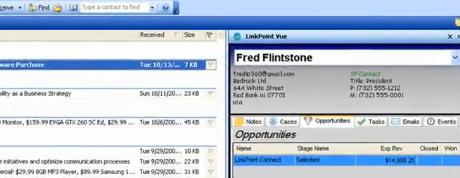
Image Credit: Screenshot from a LinkPoint Vue Demo


App:

LinkPoint Vue – Outlook Integration for Salesforce
Publisher:
LinkPoint360
Price: $29.95 (1 time license fee; discounts for Non-Profits / NGOs available)
Posted Date: 12/4/2009
SFDC Editions: Professional, Enterprise, Unlimited
Reviews:
1 review, rated 5 of 5 stars
Demo:
click here

Description:

LinkPoint Vue is a mash-up between Microsoft Outlook and Salesforce.com. The tool is built directly into Microsoft Outlook and supports Outlook 2003, 2007 and 2010. The mash-up creates a viewing window in Outlook. As you look at email from your leads or contacts, the mash-up searches for the matching email address in Salesforce.com, and pulls up the appropriate Lead or Contact record, as well as related Opportunities, Cases, Events, Tasks -- even custom objects -- related to that email originator's account. Bean-counters will like the one-time cost model (no monthly / annual subscription fees!)

Features:
- Ability to create Salesforce.com Contact and/or Lead records via drag-and-drop.
- Users can view Salesforce data inside Outlook without having to alt-tab / search in Salesforce
- Click on an email record in Outlook, and view all all contact history / activity related to that Lead/Contact in SFDC.
- Create / Update / View a Salesforce Account, Contact, Lead, Opportunity, or Case record from within Outlook with a single mouse-click (much easier than the Connect plug-in!)
- Get maps / directions to a contacts address with a single mouse-click (nice Google/MapQuest mash-up integration here!)

What’s Missing:
- Outlook / Salesforce Calendar integration. Users want the ability to create their appointments in Outlook, and have them seamlessly updated as calendar events in Salesforce (or vice versa). Add this feature, and the tool gets 5 Force Monkey stars!
- Centralized Administration Tools to setup, configure, and/or maintain the tool.


App:
SalesDesktop 3.0
Publisher:
InvisibleCRM
Price: $18/user/month (discounts available for Non-Profits / NGOs)
Posted Date: 9/30/2006
SFDC Editions: Professional, Enterprise, Unlimited, Developer
Reviews:
5 reviews, rated 4.6 of 5 stars
Demo:
click here

Description:

SalesDesktop 3.0 has been around for long while, steadily adding functionality and enhancements to the application for the past 3+ years. This application is an Outlook plug-in, allowing Sales Reps to seamlessly synchronize their Outlook and Salesforce data, including calendar and task synchronization.

Features:
- From within Outlook, create / update / view Salesforce.com Leads, Contacts, Accounts, Opportunties) once, and the tool will automatically synchronize future inbound/outbound email activities.
- Synchronize Outlook / Salesforce.com data to your mobile device.
- One-click capture of lead / contact info
- Data synchronization occurs automatically, seamlessly, in the background
- All Salesforce CRM objects are viewable as folders in Outlook

What’s Missing:
- No support for Outlook 2007, 2010.
- Client-side App means you will inherit some of the same issues you have today with the Salesforce Connect plug-in: decentralized environment, users specify their own filtering rules, etc.


App: CureCRM Email
Publisher:
CureCRM
Price: $4.95 / user / month (Limited Free version available, syncs outbound emails only)
Posted Date: 8/13/2009
SFDC Editions: Group, Professional, Enterprise, Unlimited, Force.com, Developer
Reviews:
24 reviews, rated 4.9 of 5 stars
Demo:
click here

Description:
What most impressed me about the CureCRM reviews were the many comments CureCRM customers gave regarding CureCRM technical support. These guys really stand behind their customers, going above and beyond to deliver outstanding product support!


As with other email integration tools, the application allows users to create Salesforce.com Contact and Lead records from within Outlook. Whenever those records are updated in Outlook they will be automatically updated in Salesforce. It also includes some nice social networking integration.

Features:
- From within Outlook, create / update / view Salesforce.com Leads, Contacts, Accounts, Opportunties) once, and the tool will automatically synchronize future inbound/outbound email activities.
- Automatically synchronize Outlook / Salesforce.com email activity
- In Outlook, CRM email activity history are displayed in a Facebook-like “Conversation” window

What’s Missing:
- Messages are sync’d “on-demand”, rather than scheduled.
- Centralized Administration Tools to setup, configure, and/or maintain the tool.
- Outlook / Salesforce Calendar synchronization


App:
Riva Integration Server
Publisher:
Omni Technology Solutions
Price: $16.25 / user / month (Volume discounts available)
Posted Date: 2/23/2010
Outlook Editions: Windows 7, XP, Server 2003 or 2008 (on-premise)
Reviews: None
Demo:
click here

Description:
Omni’s approach is unique from the other applications in that it is a Server-side integration, rather than a client-side Outlook plug-in. This implementation offers a much improved integration, and allows for seamless synchronization of all outlook records: contacts (flagged either as Salesforce Leads or Contacts), email activity, calendar events, tasks, notes, and more. The tool is delivered with Riva Single Sign-On, which means users don’t need to remember a separate Salesforce.com password. Instead, their ActiveDirectory/Exchange or eDirectory password will manage their Salesforce login – users simply need to login to their email. Because it’s a Server-side integration, it provides a centralized tool for administration: users don’t have to install any software or plug-ins, and there is nothing for them to configure.

Features:
- Server-side, transparent integration and data synchronization between Salesforce.com and Microsoft Exchange
- Install once at the server level; let administrators control and manage the app from the server for all users.
- Create / update Salesforce Contact and Lead records from within Outlook. Sales Reps flag which Outlook contacts should be synchronized, and if they are Leads or Contacts.
- Synchronize calendar events (appointments, phone calls, tasks,notes) and Address Books (Contacts, Leads, Accounts) transparently, at scheduled intervals.

What’s Missing:
- Nothing, although a server-side integration may put this product outside the expertise level of some Salesforce.com Administrators. Adding to this challenge, many IT / Email Server Administrators are reluctant to install software on the email server itself, so you may have to win over key stakeholders / decision makers.

Thursday, January 21, 2010

What Causes Invalid Apex Classes?

I’ve been training a new group of Salesforce.com Users on how to create change sets in a Sandbox, and deploy simple changes (in this case, Email Templates) to production. When we tried to deploy their change set, we encountered some problems caused by a different user group in the same org:

1.) Validation rules had been implemented by System Administrator users in the other group. The validation rules raised nearly a dozen DmlException errors, because they prevented existing Apex test methods to execute their insert / update operations.


2.) The deployment failed because the organization only had 72% test coverage. I hoped that much of this was caused by those same validation rules, but even after setting the offending validation rules to inactive, the org still had only 74% test coverage.

For this particular org, we have a very loose change management process. Business Owners, who deployed and implemented the instances with the help of a third party consultant, still have free reign in the instance. They don’t understand the impact their changes have on the Apex test methods or underlying applications.

I started reviewing the test classes associated with each DmlException error, and noticed a number of test classes had their “Is Valid” checkbox flag set to false.


I misinterpreted what the Apex Class list view was showing me: I saw the blank checkbox next to the word active and immediately thought “Why is this test class being evaluated, if it isn’t active.” I tweeted the question to the world, and my fellow Salesforce developers came to the rescue.

@dschach reminded me that Apex classes are always active:


So then I started poking around in the online help, I found the following notes about the “is Valid” designator:

"To aid backwards-compatibility, classes are stored with the specified version of the API that was used to compile them. Additionally, classes are stored with an isValid flag that is set to true as long as dependent metadata has not changed since the class was last compiled. If any changes are made to object names or fields that are used in the class, including superficial changes such as edits to an object or field description, or if changes are made to a class that calls this class, the isValid flag is set to false. When a trigger or Web service call invokes the class, the code is recompiled and the user is notified if there are any errors. If there are no errors, the isValid flag is reset to true."

I did a quick review of our Apex classes: 36 were set to Invalid. Ugh, that’s a lot of clean-up, and probably more than I can crank through in a single night.

@greenstork gave some helpful advice:


Alas, not so in our case – each of these 36 apex classes remained invalid, even after being viewed in production.

So what’s next?

1.) Short Term: I need to update the various test classes that flagged the DmlException errors, and modify them to support the recently added validation rules. Beyond that, I’ll need to look at other classes that are weak on test coverage, and move those to 100%. Then I can deploy my user's change sets.

2.) Long Term: The enterprise SFA application is much more complex than when the business owners first deployed and starting using it. Changes, like new validation rules or custom object / field edits can no longer be made in production. The business owners must adopt a more structured change management process, restricting their changes to Sandbox environments and allowing a QA/QC team to review the changes before deploying them to production. (Always a difficult political battle in any organization, but essential!)

3.) I need to update our Salesforce Audit report, with a periodic review of the “IsValid” field on Apex Classes. The purist in me says 36 invalid classes is too high; 0 is about right.

4.) I'm gonna need more coffee.

Thursday, January 14, 2010

Sending Scheduled Reports to Individual Users in a Restricted Report Folder

Scheduled Reports is a powerful feature of Salesforce.com.  It allows you to schedule a specific report to run – and have the results emailed in HTML format – to a specific user or group of users.  You can configure a report to run each morning at 7:00 AM, and have that report automatically emailed to all your direct reports.  Very handy!


One of my users with delegated “report admin” privileges uses this to great advantage, but ran into a problem:


“I have a Salesforce.com Report Folder which is restricted to a certain users: it is only visible to Manager and Director Roles. One of the managers has requested a copy of a specific report from this folder be emailed to him at the start of each business day. Scheduled Reports supports this functionality, but not if the report is in a restricted access folder. When you set the folder access so that only certain roles can access it, Salesforce.com does not allow you to select “Users” when setting up the “Send Email To” option. The Report Builder option only allows Public Groups, Roles, and Users. What should I do? I don’t want to create a “Public Group” with just one person in it, and I don’t want to make this entire folder public – help!”

Here’s the workaround I gave her:

1.) After hours, when no one is likely to be accessing the system, change the restricted access report folder to public.


2.) Use the “Schedule Future Runs” feature to schedule the report. Because the report folder is now “public”, you can select a filter option that allows you to send it to a specific user. Save the scheduled report settings.


3.) Go back to the Report Folder access settings, and change the access privs back to the original restricted access.


Viola - the scheduled report will still be sent to the users within the selected mail-to list, and your report folder is still private.

Thursday, January 7, 2010

If You Build It, They Will Come

We have thousands of sales reps. How can I motivate them to give up their “tried and tested” sales tools (notes jotted on paper, contacts stored in their heads, excel worksheets stored on their hard drives, etc.), and start storing their leads, contacts, accounts, opportunities, etc., in Salesforce?

Executive Adoption: The most essential aspect of any CRM implementation is executive-level sponsorship and adoption. Your C-level sponsor should have full access to Salesforce.com; as should their peers. If they don’t have it, get it for them. Your executive team will spend most of their time in the Dashboards, so spend a decent amount of time developing custom, C-level executive dashboards. Ask, “what would I want to see, if this were my company?” (because it is). Give your executive team Salesforce 101 training, covering the essentials of navigating within the tool, drilling into dashboard reports, and diving into the detail records below. Check in periodically (quarterly, bi-annually), and ask for feedback on what they would like to see added or removed from the Dashboard. Encourage them to monitor and engage your sales team on things they see happening through their Executive dashboard. When sales reps become aware that senior level management is in the tool, it will drive greater adoption and use.

What’s In It for Me? As a CRM Project Team, you need to make sure the system is LOADED with automation and other tools that directly benefit your sales team. If it’s simply another platform in which they insert data, it’s really not much improved over a basic spreadsheet. Instead, the tool must work for them. Consider AppExchange add-ons, like OneSource – which automatically populates contact data (titles, phone numbers, email addresses) and company data (company size, revenue, industry, etc.) when the Sale Rep enters some basic account information. Add personal dashboards that help the sales rep focus on their best prospects, key opportunities and sales pipeline. Design triggers that provide provide automated reminders for follow-up calls, etc. Integrate tools like DocuSign and DrawLoop, so that you can save your Sales Reps time with automated quote generation and electronic contract signatures. Integrate with back-end ERP systems, so that the Sales Reps can monitor post-sale activity. Use free tools like Ideas, Answers, Content, and Chatter to build a more collaborative work environment.

Make It Simple: Make your system simple for your sales teams to use. For your mobile warriors who live out of the cell phones, take advantage of Salesforce Mobile. Give them the ability to easily create or update leads, contacts, accounts, opportunity records from their handheld devices. Keep the input requirements minimal – don’t configure a dozen required fields on a new lead, when 2 or 3 will do.

Ride Alongs: Periodically ask if you can join members of your sales team as a “ride along”. Carefully watch and ask questions about their job, how they keep track of their day to day tasks, how they use Salesforce (or other tools). Always ask, “How can I make this system easier, so they have more time selling?”

Lead Assignment / Distribution: For inbound sales teams, adopt a system that distributes new leads based on each individual Sales Rep’s use of Salesforce. Example: Sally and Joe both have 10 leads currently assigned to them. Sally’s leads have a lot of recent activity (logged calls, email activity, trip reports / site visits), all logged within the system. In addition, she converted 3 leads to opportunities in the last 7 days. By comparison, none of Joe’s leads have been updated in the past 3 weeks, and he hasn’t converted any leads. Joe might have been contacting these customers, and making appropriate follow-up – he just hasn’t bothered to log it.
Don’t adopt a lead assignment method that evenly distributes leads to Joe and Sally. Reward the behavior you want your sales team to adopt by weighting your lead distribution system toward the CRM system users. Make sure it’s know to your Sales Reps how the lead distribution system works, and that it can be easily tracked on individual and team performance dashboards.

In addition to activity (recency metrics), consider a lead scoring system and how that might be used to influence lead distribution. In lead scoring, the “completeness” of a lead is used to calculate a value. For example, a lead that only has information in the customer name and phone # fields might have a score of “2”, while a lead that has information in the customer name, phone #, email, industry, company size, or other custom fields (budgeted amount, prospect urgency, etc.) might have a score of 7. The more fields they populate, the higher the lead score. A lead distribution system could use the cumulative score of recent closed/won or current funnel activity when determining how the lead should be routed.

Develop Dashboards for Sales Managers: Design your dashboards and reports in such a way that Sales Managers can see how well their team is performing against all the KPI they are measured on within the organization. Join their sales meetings, and listen to the topics they review – they design dashboards that show data along that same flow. Get the Sales Managers to drive their 1:1 and/or team meetings from these Dashboards. “Ok, team, let’s start with new leads this week. Joe, looks like you got a couple of leads listed as “hot”, but when I drive down into the detail record, I don’t see any recent call activity or notes to suggest why they are labeled that way – fill me in. <… listens …> That’s great. Let’s get that info updated into the lead please, before next week’s team meeting!”

If Sales Reps are keying their data into Salesforce, it’s important that Sales Managers use the tool for their status updates. The worse thing we can do as managers is to have our sales reps all this valuable information in the tool, but then when we call them into our meetings, ask them, “So, Sally … what did you do this week?” Sales managers need to be reviewing this information and be aware of what’s happening BEFORE they enter meetings with their team!

Tie Incentives / Compensation Plans to your CRM System: Your commission system must be based on information out of your CRM system. If the lead/opportunity is not in Salesforce, the Sales Rep doesn’t get commission. That’s a pretty simple, but it’s important to go beyond awarding sales just based on closed/won sales. Adopt incentive programs that enhance or accelerate commission based on the sale rep’s pipeline growth, timely lead nurturing / conversion, detailed account/contact/opportunity updates and activity / follow-up. Incent the behavior you want your Sales Team to adopt!

Remove their dependency on other systems (email clients, excel worksheets, etc.): Salesforce.com has a method for sending email from within the tool. Furthermore, when emails are sent through this method, the user can see if the recipient opened the email, how many times they opened the email, when they last opened the email, etc. Why would you ever send an email from Outlook? If the answer is, “that’s the system I’m familiar with”, then teach the new system! Show the benefit of being able to see when a customer reads an email, and act on that. Implement triggers that alert the Sales Rep, so they can do a follow-up call within the hour of the email being read. There are similar productivity tools for coordinating meetings, setting up reminder calls, automated email follow-ups, etc. Get the tool working for them, rather than make them work hard to get data into the tool.

CRM is a not a tool, it’s a strategy. Understand that you will be forever tweaking and optimizing your CRM system, so that it evolves as your business evolves. Make the process and the tool smarter, not harder.

And don’t hesitate to let me know if I can help!

Friday, January 1, 2010

How Do I Add My Own Custom Logo to the Salesforce.com Banner?

How do I customize the top banner, so that it displays my company's org, rather than the standard Salesforce.com logo?

The logo that displays in the top left corner is defined by the application that you are currently running. Salesforce apps are selected using the drop-down in the top-right corner. In the image below, I'm running the "Ideas" app, which uses the Salesforce.com Service Cloud logo.


TRIVIA: The default logo is updated several times a year, with each seasonal Salesforce.com upgrade. Salesforce.com usually comes up with two or three different logo ideas, and offers Customers a chance to vote for their favorite logos on the Idea Exchange. The logo that wins the most votes is used for the next release.


If you want your own custom logo, then you'll need to build your own "custom app". That's not nearly as difficult as it might sound. In Salesforce.com, an App is simply a group of Tabs. The "Sales Cloud" app includes tabs like Account, Contact, Lead, Opportunity, etc. You can create a custom app that uses these same Tabs, but features your company logo. Here's how:


1.) Using image editing software, modify your company logo so that it is less than 300 pixels wide and 55 pixels in height. The image must be a GIF or JPEG format, and less than 20 KB in size. Save this image to the Documents tab. Be sure to mark the image as an "Externally Available Image" when you upload it to the Documents library (see below):


2.) Create your custom app. Select "Setup -> Create -> Apps -> New".

Follow the App Wizard prompts to give the App a name, add your logo, and select the tabs that you want to be visible when users run this app.


That's all there is to it!


TIPS AND TRICKS:

Use a logo with a transparent background, unlike my sample above. If you use a logo with a colored background, you'll spend a lot of time tweaking the color scheme of your tabs so that they don't clash with the banner. The cyan background in my sample doesn't blend very well with the default green of the home tab logo ... blech!


During the photo editing stage, trim your logo so that it is exactly 300 x 55 pixels -- even if that means adding a filler space around the edges. If your logo doens't match these dimmensions exactly, Salesforce will resize the image to fit, but not always. You may find that your logo is distorted on some screen transitions, or that it displays outside the banner borders.


Each App that you build can have it's own logo. The number of Apps that you can make (and/or upload from the AppExchange) depends on what type of licenses you have:

Personal Editionn/a
Contact Manager1
Group Edition1
Professional Edition5
Enterprise Edition10
Unlimited EditionUnlimited
Developer Edition10

The custom app that you build (just so that you can display your own company logo) does count against the number of Apps you can download and run from the AppExchange -- so keep that in mind!


Pretty quick, pretty simple!